Lately, I've been fascinated by conversational AI. There's something compelling about the back-and-forth, and it sparked an idea: what if that conversation was the game? I wanted to capture that interactive feeling within a story, creating a narrative experience where you don't just read, you converse.
This led me down the path of creating a sci-fi mystery game where players interact with characters and an AI through a chat interface to uncover a hidden truth. Here's a look at how it came together.
The Big Idea: Hacking the Truth
The core concept is a classic sci-fi mystery. In the future, a critical piece of information has been erased from history, and it's up to your group to find it. The main way you do this is through AI hacking techniques, inspired by real-world methods people used on large language models pre-2025.
But a story about hacking machines felt a bit cold. I wanted to add a human element. The narrative reinforces the idea that finding the truth isn't just about interrogating an AI; it's also about talking to people, building trust, and piecing together clues from human conversations. This blend of machine and human interaction became the heart of the game's design.
Finding the Feel: UX and Game Research
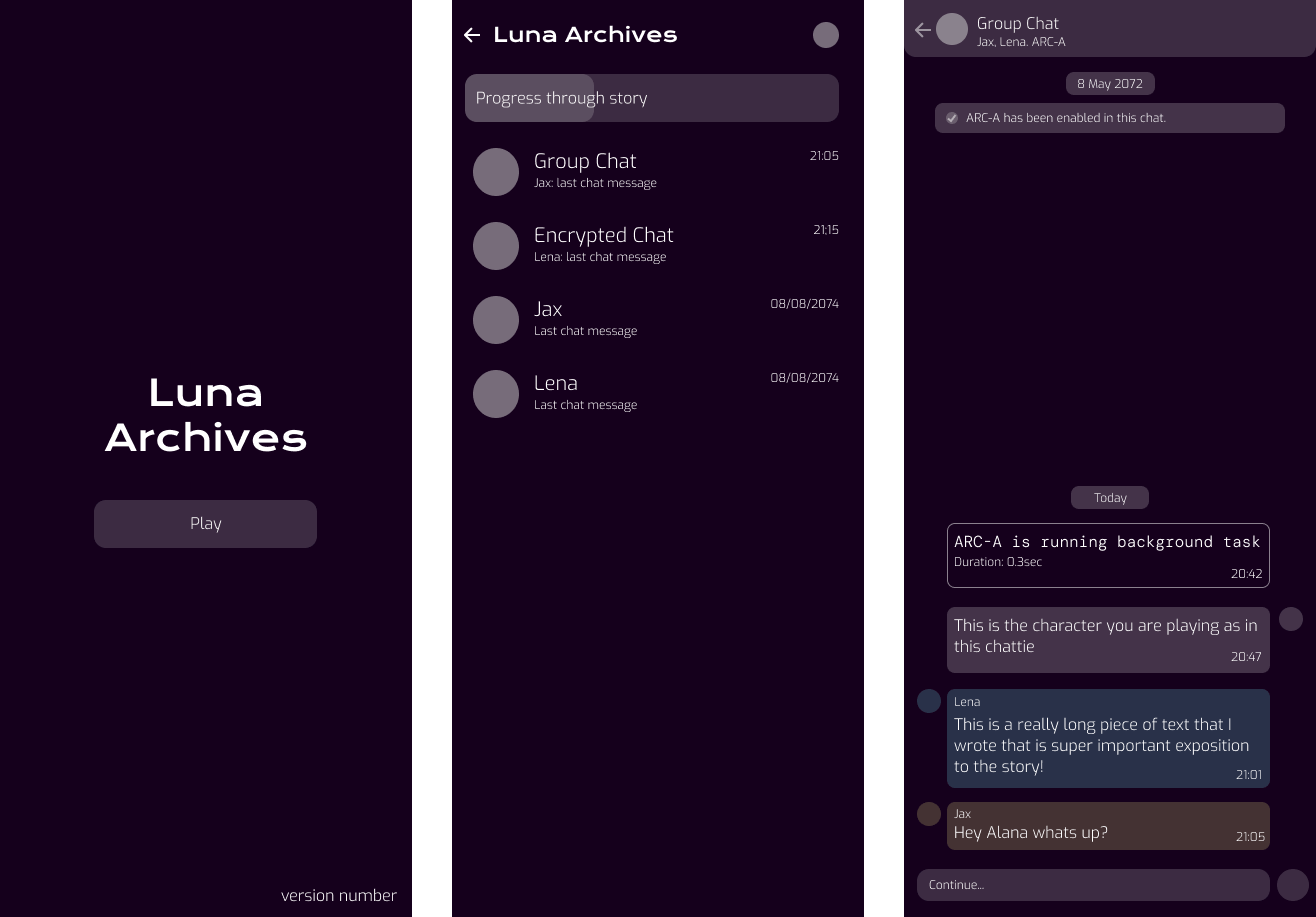
Before building anything, I looked at how people already communicate digitally. I studied the UI of apps like WhatsApp, Signal, and Facebook Messenger to create an interface that felt instantly familiar and intuitive.
I also dived into other narrative games.
Bury Me, My Love was a huge inspiration. It's a powerful story told through a chat interface, but it tries to simulate real-time, meaning you might have to wait hours or days for a reply. I loved the concept, but in practice, I found I didn't have the patience. This was a critical UX insight: for my mystery game, player-controlled pacing was essential. I decided to remove artificial delays like 'typing…' indicators to let players engage with the story at their own speed.
Chatie, an app with lots of chat-style stories, had a great 'hold-to-skip' function. I tried to build a similar feature, but a long press on a web browser is often interpreted as a right-click. Rather than create a frustrating experience, I decided to cut the feature for this prototype. It's a classic case of a design idea meeting a technical constraint.
Building the Story (and the Tech to Support It)
The story, featuring four main characters, grew to around 9,900 words. I used Gemini as a creative partner to help map out the plot, quickly write drafts of the script, and act as an editor to critique sections.
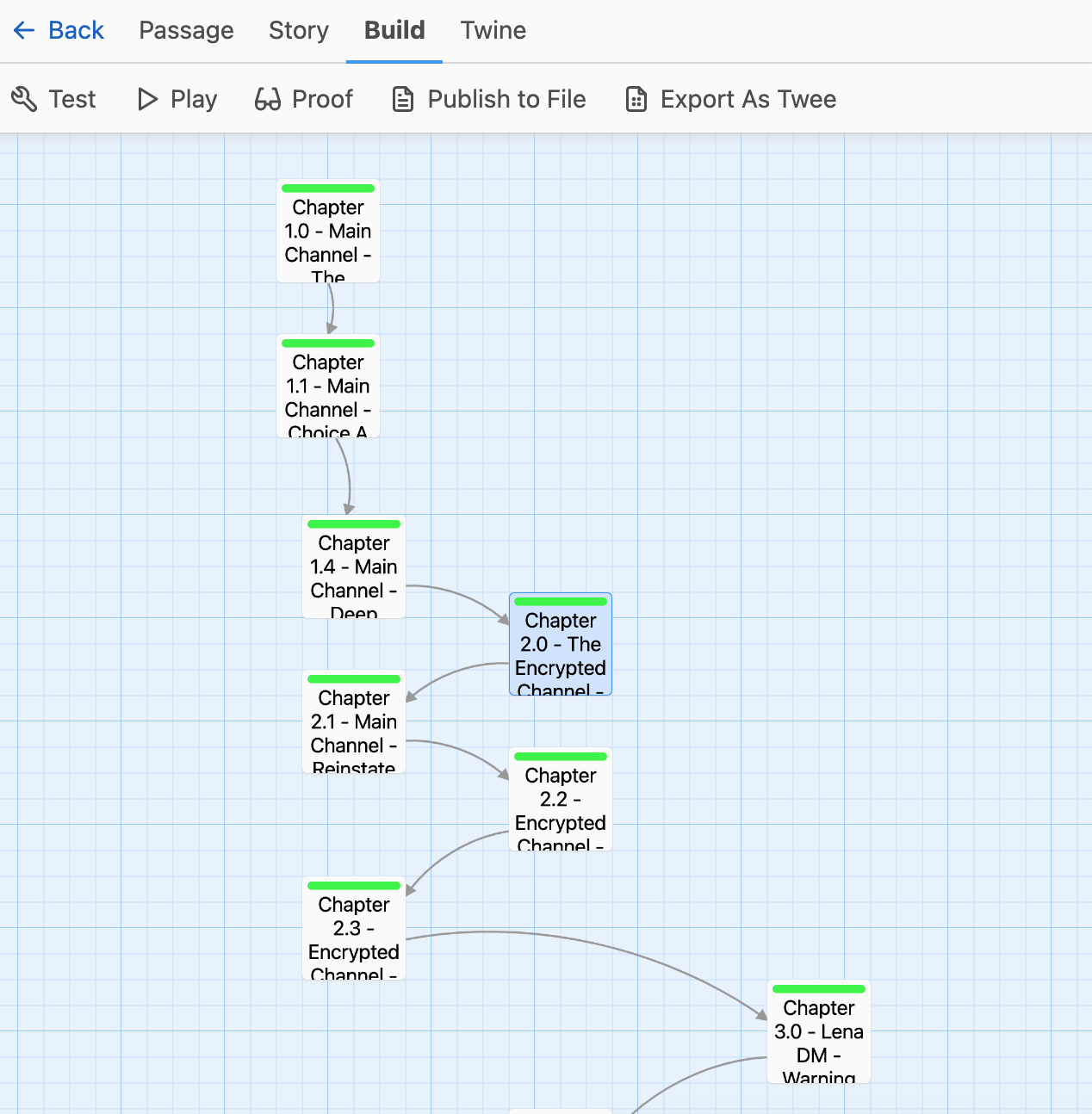
I structured the narrative in Twine, a great tool for creating branching stories. My original design had lots of player choices, and those branches still exist in the Twine file. However, to get the story into the web app, I needed it in a JSON format. This was tricky because Twine doesn't store story parts in a simple, linear order. I ended up using Cursor to help me write Python scripts that could correctly parse the Twine file and convert the entire story into about 500 ordered chat messages. It took a few tries to get the numbering system right, but it was a fun problem-solving challenge.
Prototyping: Choosing the Web over Unity
My first instinct was to build this in Unity to create a standalone app. I even started a Unity version, but I quickly realised that setting up the UI was much more complex than it needed to be for this type of game.
I pivoted to a web app because I could prototype the core experience—the narrative delivery—much faster. It made testing and getting feedback from friends as easy as sending a link. The bonus is that the JSON file I created is engine-agnostic, so I can still use it in the Unity version if I decide to return to it later.
The whole thing is hosted on GitHub Pages, which is a fantastic, free solution for projects like this that don't have a back-end.
Building on Feedback
After posting the game on LinkedIn, I received some great feedback from users.
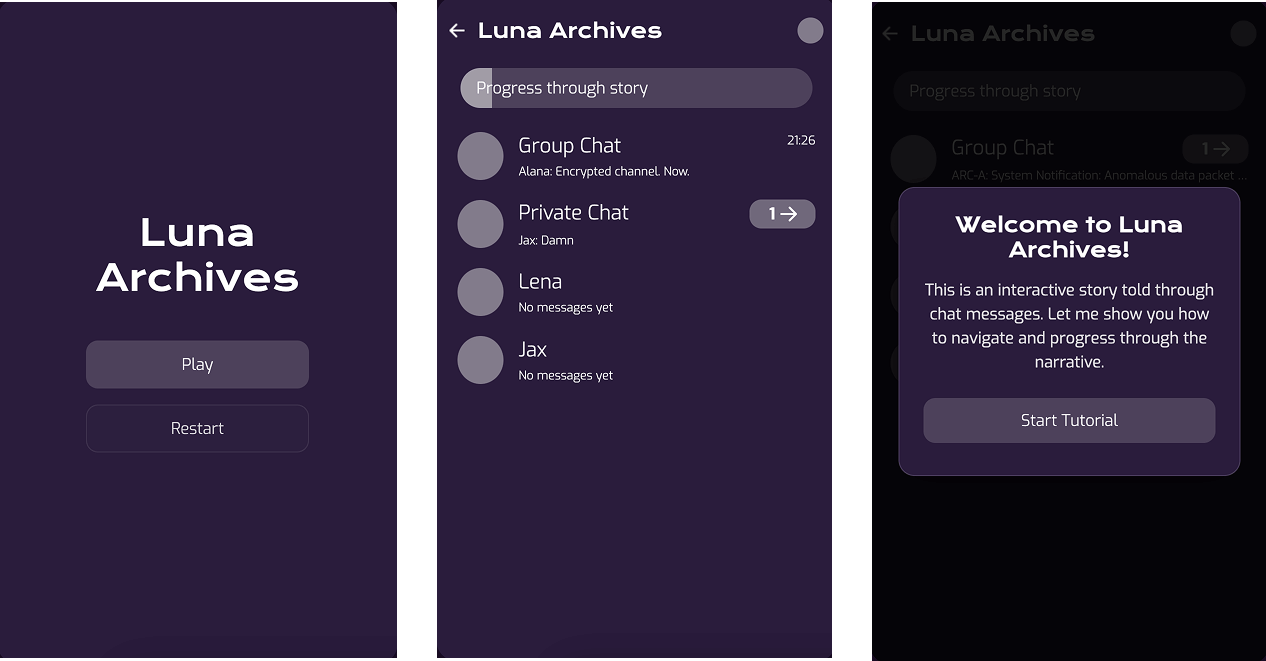
- There was no tutorial so users didn't know how to play
- The game didn't save their progress
- The game didn't clearly show where to start reading the story
I took these feedback points and made the following changes:
- Added a tutorial
- Added a save and load feature
- Updated the unread notifications to show which channel to read next
Conclusion
This project was a brilliant mix of narrative design, UI/UX, and creative problem-solving. It was a great experience to see an idea grow from a simple concept into a playable story.
Thank you for reading!
Want to work with me? Feel free to contact me!
...or just say hello on my social media.