Building a new application from scratch involves many decisions, from choosing the right technology to structuring the project. This process can be time-consuming, especially when venturing into unfamiliar territory.
This post is a case study on how I dramatically compressed that timeline. I'll walk you through the process of building "Guess the Paper," a fully functional, auto-updating daily news game, in about three hours. The key was leveraging AI tools as a collaborator, which allowed me to use a modern tech stack—Vercel and Supabase—with no prior experience. My goal is to break down this workflow so you can apply these techniques to your own projects.
Step 1: The Blueprint
Using AI as a Solutions Architect
Every project needs a solid plan. The first challenge was to choose the right technologies and outline the steps to bring the game to life. For this, I treated ChatGPT as a solutions architect.
A solutions architect's job is to design the high-level structure of a project. My initial prompt was designed to get this kind of strategic advice:
I want to create a web based game
where it takes the main headlines from the top 8
UK newsites and you have to match it with which paper the
headline was from - I want this to be a daily game which
is scraping real headlines, what tech stack do I
need to create this?
The AI's recommendation was a complete, modern stack:
- Frontend: Next.js with TypeScript and Tailwind CSS
- Backend/Database: Supabase
- Automation: A Python script run by GitHub Actions
- Deployment: Vercel
This stack is excellent for rapid development because the technologies are designed to work well together. To make the plan actionable, I followed up with a simple request:
create checklist that cursor can go
through in order to set up this project
This gave me a step-by-step guide and the initial code for every part of the application, forming the foundation for the entire build process.
Step 2: The Build
An AI-Powered Development Environment
With a plan in place, I moved to the coding phase using Cursor, an AI-first code editor. Instead of simply writing code, Cursor allows for a more interactive development process.
I started by importing the entire checklist from ChatGPT into a markdown file within my project. This turned my editor into an interactive to-do list. I could then instruct Cursor to execute each step:
- Initialize the project with the correct frameworks.
- Create the necessary files and folders, such as /pages/api/today.ts.
- Populate these files with the code snippets provided by ChatGPT.
This workflow is incredibly efficient. The AI handles the repetitive, boilerplate tasks, which frees up mental energy to focus on the core logic and understand how the different pieces of the application connect.
Step 3: Implementation
Flattening the Learning Curve
The checklist required setting up a database in Supabase and deploying the app on Vercel, neither of which I had used before. This is often where a project can stall, bogged down by the need to learn new platforms.
However, the AI-generated instructions provided a precise, step-by-step tutorial.
- For Supabase (a backend-as-a-service platform that simplifies database and API creation), the checklist provided the exact SQL code needed to create the tables.
- For Vercel (a platform for deploying web applications), it detailed exactly how to connect my GitHub repository and where to add the necessary environment variables.
This guided approach effectively flattened the learning curve, transforming a potentially difficult task into a simple matter of following instructions. I was able to correctly configure and deploy to both platforms in minutes.
Step 4: Iteration
From MVP to a Polished Product
Following the checklist resulted in a working Minimum Viable Product (MVP) in under three hours. The site was live, fetching headlines, and the game was playable.
From there, I began the crucial process of iteration.
- UI Refinement: I applied my design skills to improve the user interface through several iterations.
- Process Automation: In an interesting turn, a poorly phrased prompt about setting up checks led to the AI creating a comprehensive CI/CD (Continuous Integration/Continuous Deployment) pipeline. This "happy accident" introduced a professional-grade, automated process for testing and releasing new updates securely.
- Feature Expansion: With a solid foundation, adding new game modes was straightforward.
UI Evolution Through Iterations
The design evolved significantly through multiple iterations, each improving the user experience:
Title Page Evolution
The title page went from a basic layout to a polished, engaging interface:

Initial design - functional but basic
Simplifying the UI to use a minimalistic design helped to improve design consistency and speed of implementation.

Final design - clean, modern, and engaging
Input Mechanism Evolution
The original input mechanic was a dropdown, which wasn't very game-like. I quickly changed this to a card match mechanic:
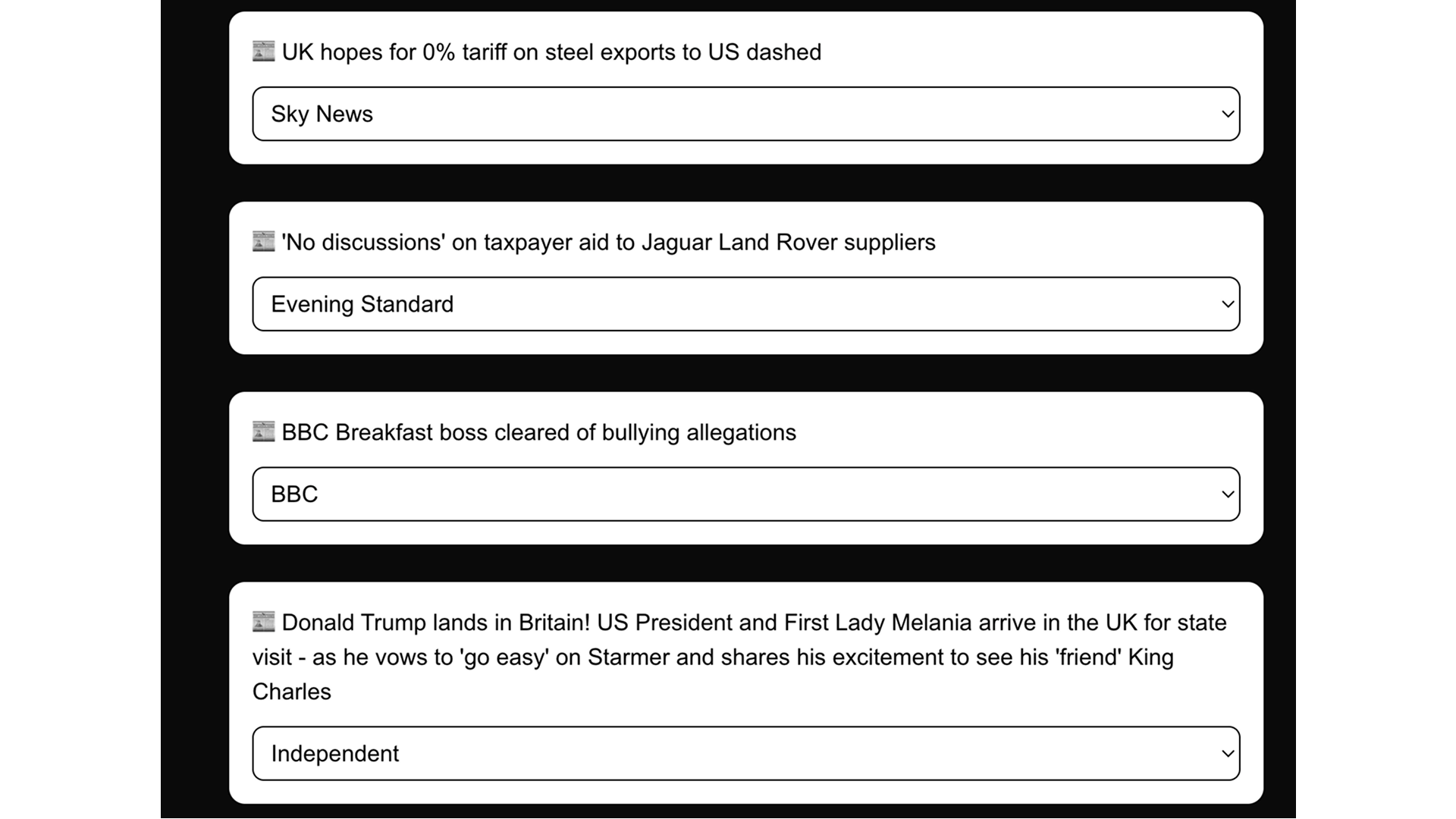
Original dropdown approach - functional but not engaging
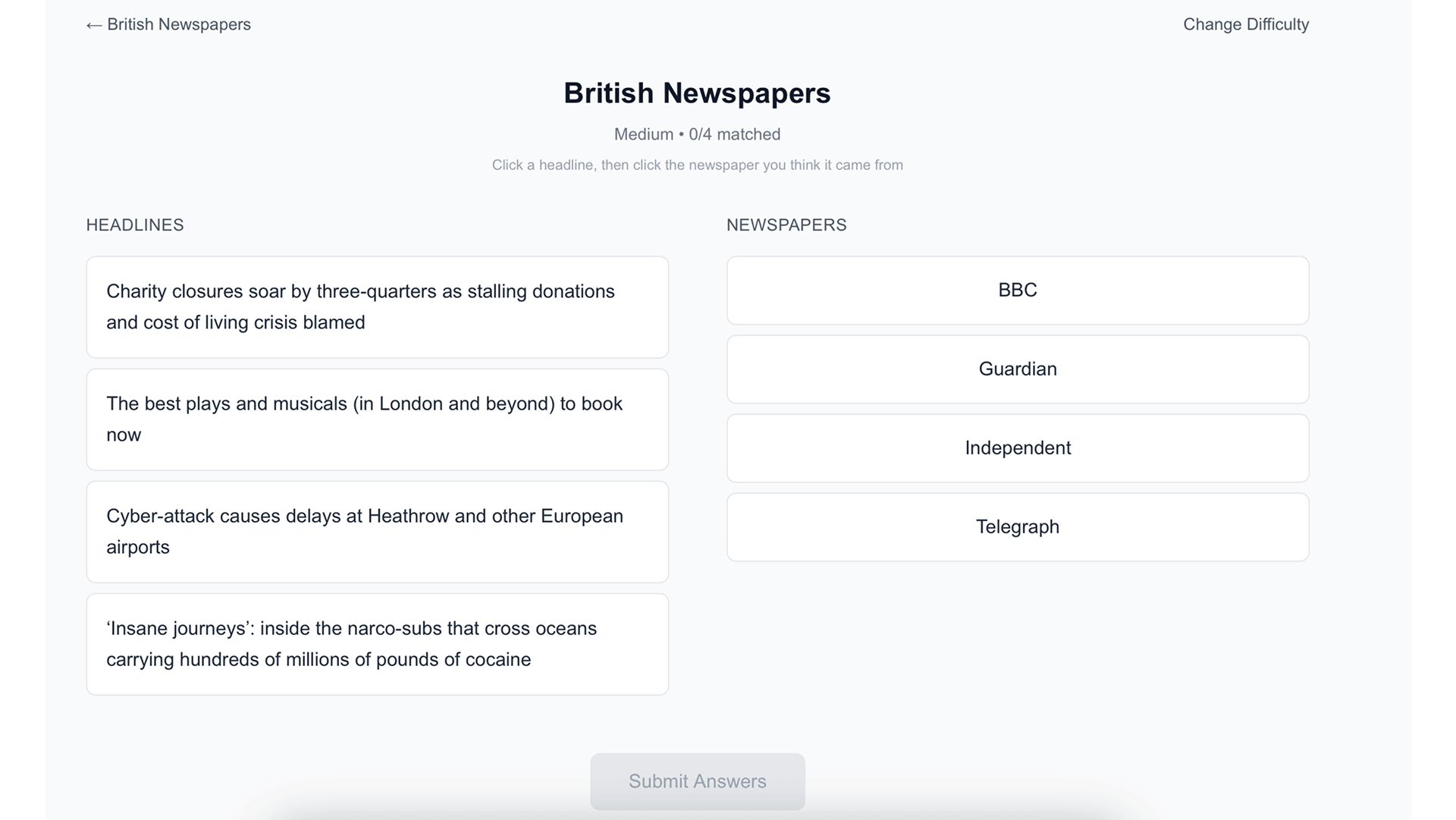
Card-based mechanic - much more game-like and intuitive
Results Display Evolution
The results mechanic evolved to provide clearer feedback and additional functionality:
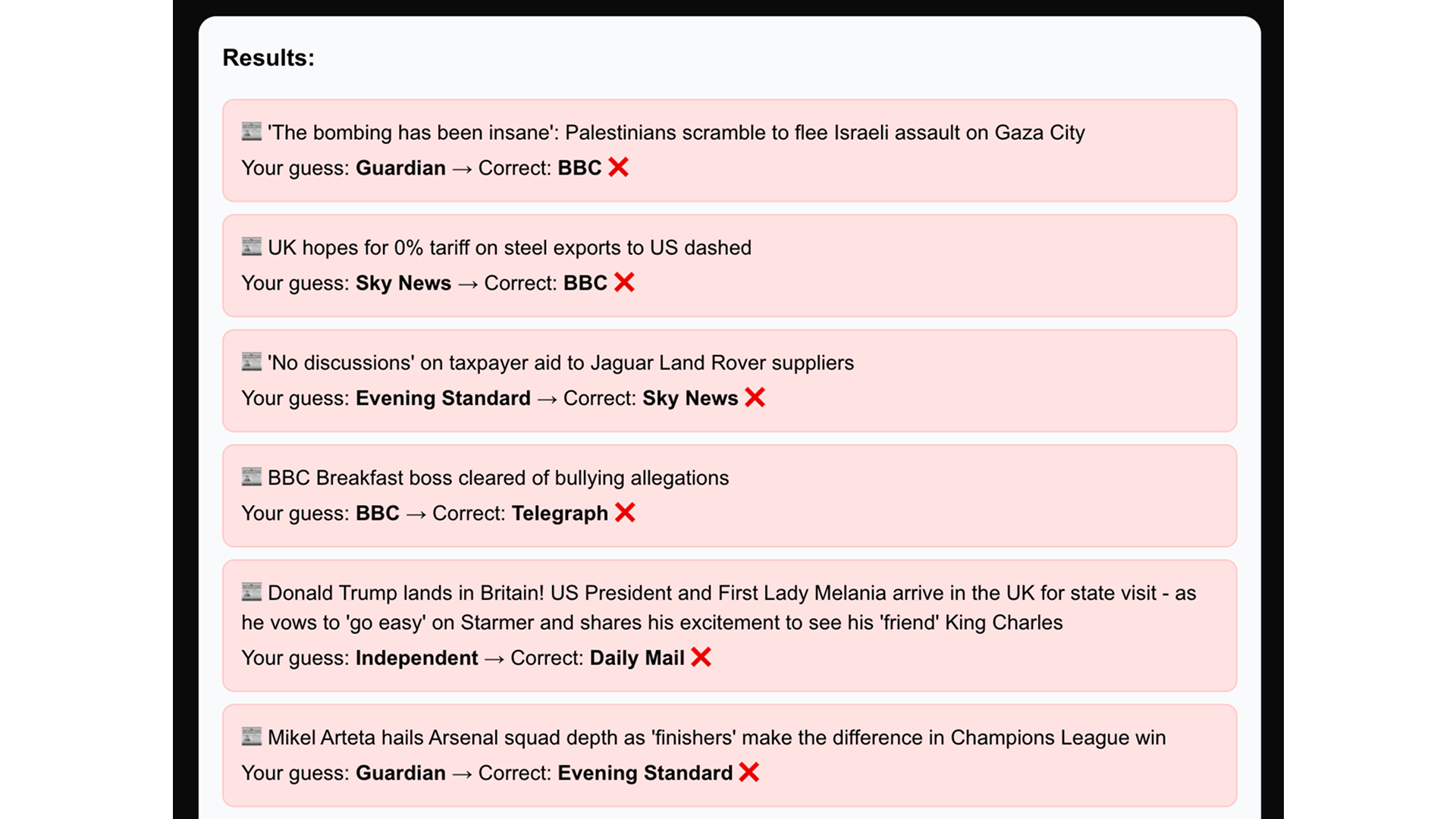
Initial results - basic feedback
The final results mechanic clearly communicates correct and incorrect answers, and includes links to read the full articles for additional context.
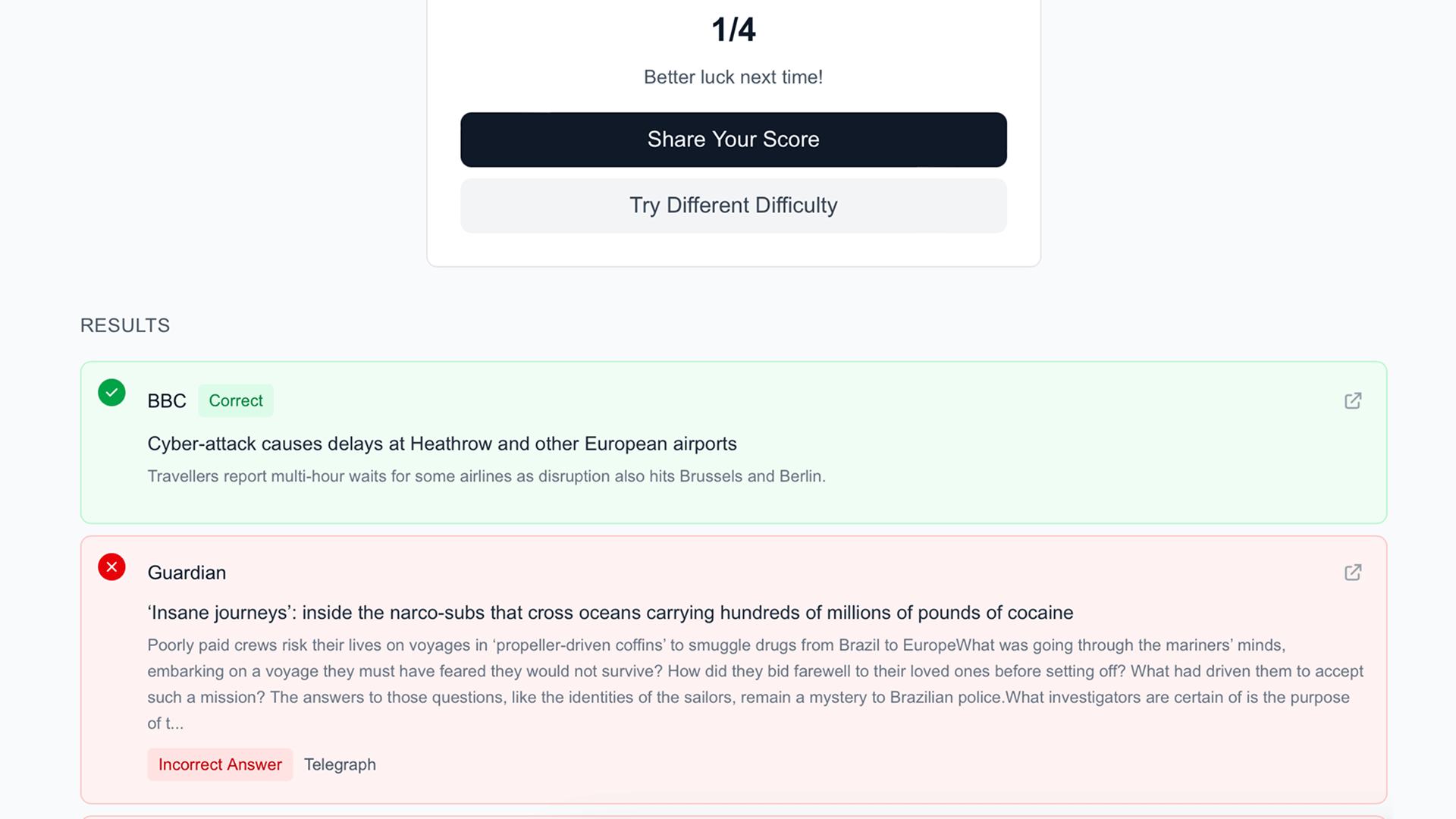
Enhanced results - clear correct/incorrect indicators and article links
Automated CI/CD Pipeline
By accident!
I wanted to prompt the AI to create a script to keep the cursorrules up to date, but instead I was presented with a fully functioning robust CI/CD pipeline, which was not what I wanted. However, it was a nice surprise to see it working.
The continuous integration pipeline has certainly ensured the code quality has improved and streamlines deployments:
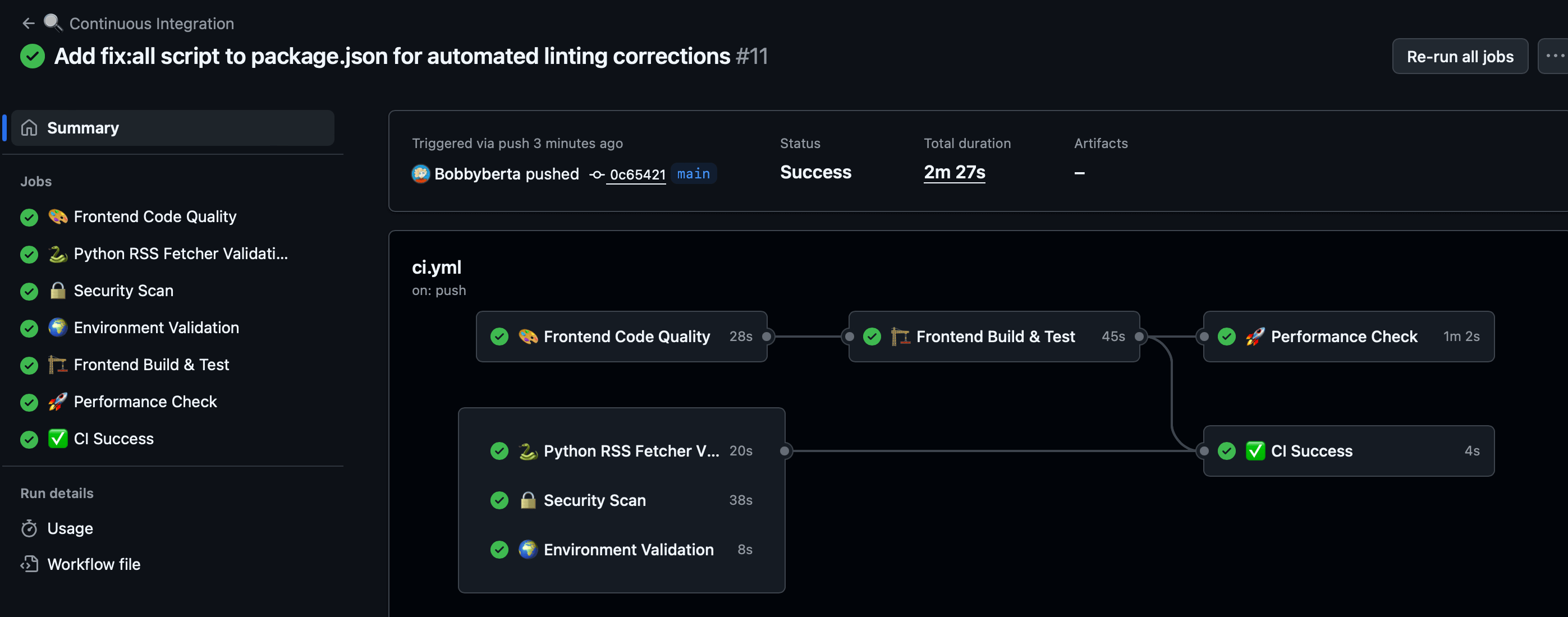
Comprehensive CI/CD pipeline with automated testing and deployment
Final Thoughts: Key Learnings
This project served as a powerful proof of concept for an AI-driven development workflow. The key educational takeaways are:
- AI as a Strategic Partner: Use large language models for high-level planning and architectural decisions, not just for generating simple code snippets.
- Efficiency Through Integration: Combining a planning tool (ChatGPT) with an interactive code editor (Cursor) creates a seamless workflow that drastically reduces setup and boilerplate time.
- Accelerated Learning: AI-generated guides can serve as personalized tutorials, making it easier than ever to adopt new technologies and platforms without formal training.
This approach shifts the developer's role from a manual coder to a director of tools, focusing more on strategic decisions and creative problem-solving. It's a more efficient, educational, and ultimately more powerful way to build software.