There's nothing quite like the joy of swapping pixels for paint.
I recently stepped away from the screen to tackle an acrylic painting. But as I moved from a blank canvas to the final coat, I realized something funny: I wasn't just making art; I was running a project.
My journey from messy blobs to fine details was a perfect mirror of the Lean and Agile methods we use in software every day. Here is how painting offline sharpened my design mindset.
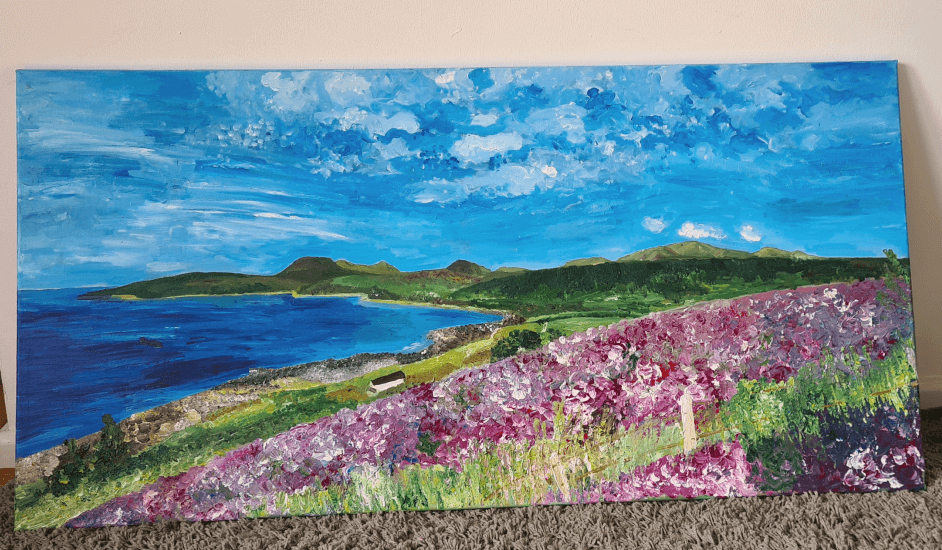
Final result: a completed painting built through iterative, Agile-inspired process
Phase 1: The MVP (Wireframes first)
In dev terms, I had a Product Goal (a reference photo), but I didn't try to copy it line-for-line immediately. That would be a disaster.
Instead, I started with the MVP. I slapped down masses of color and big, foundational shapes. I ignored the eyelashes and leaf veins (the "features") and focused purely on the composition (the "wireframe").
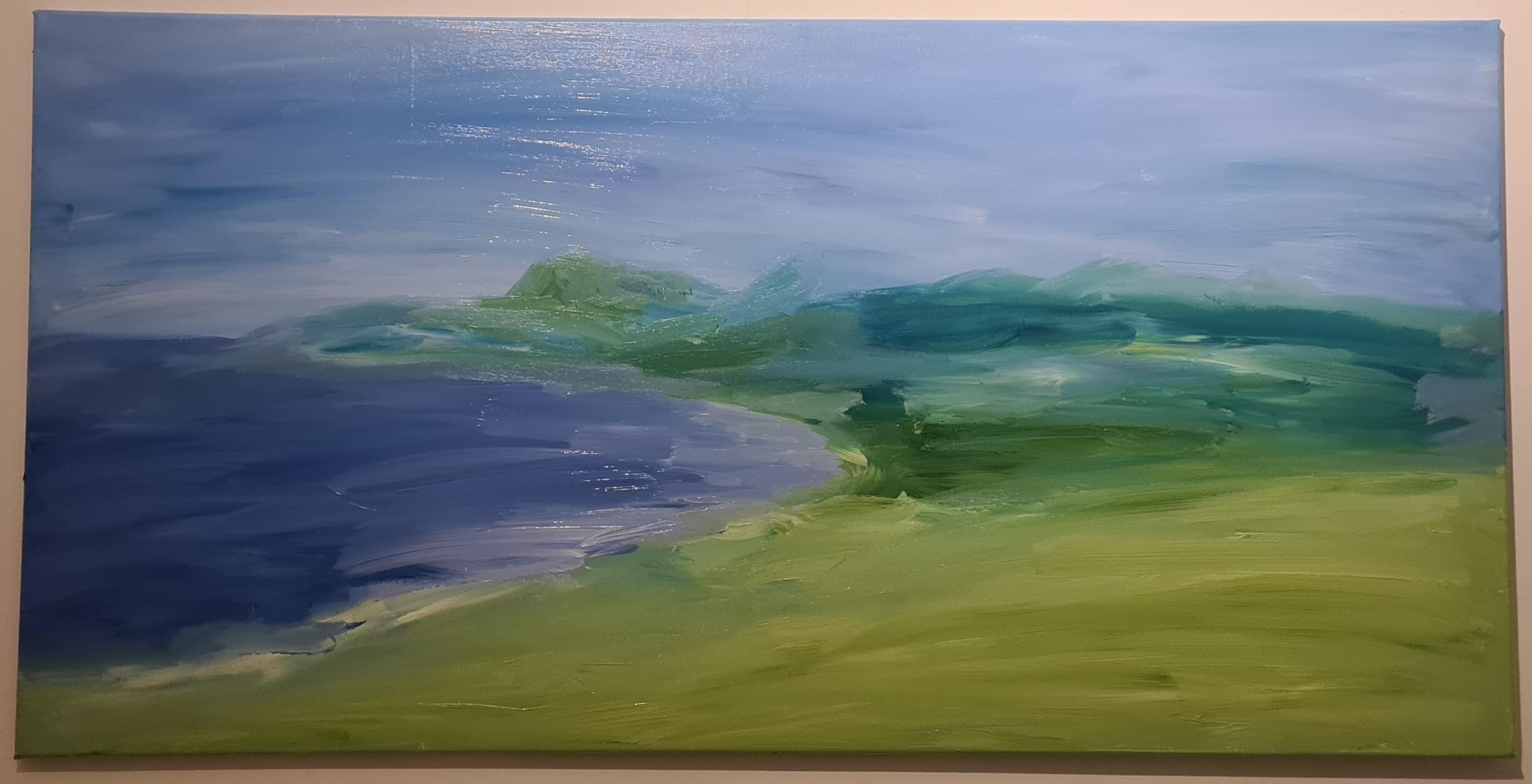
Starting with the MVP: foundational shapes and color masses
The lesson? Don't polish code that doesn't work yet. Get the broad strokes right before you worry about the UI details.
Phase 2: The Tech Stack (Why I chose Acrylics)
The medium you choose is your tech stack. I picked acrylics because they dry in minutes.
- Oils = Waterfall: Beautiful, but slow. You commit to a path and wait days for it to dry.
- Acrylics = Agile: Fast and forgiving.
Because the paint dried so fast, I could "ship" a layer, realize it didn't work, and paint over it (refactor) immediately. It allowed for rapid prototyping and pivot-friendly creativity.
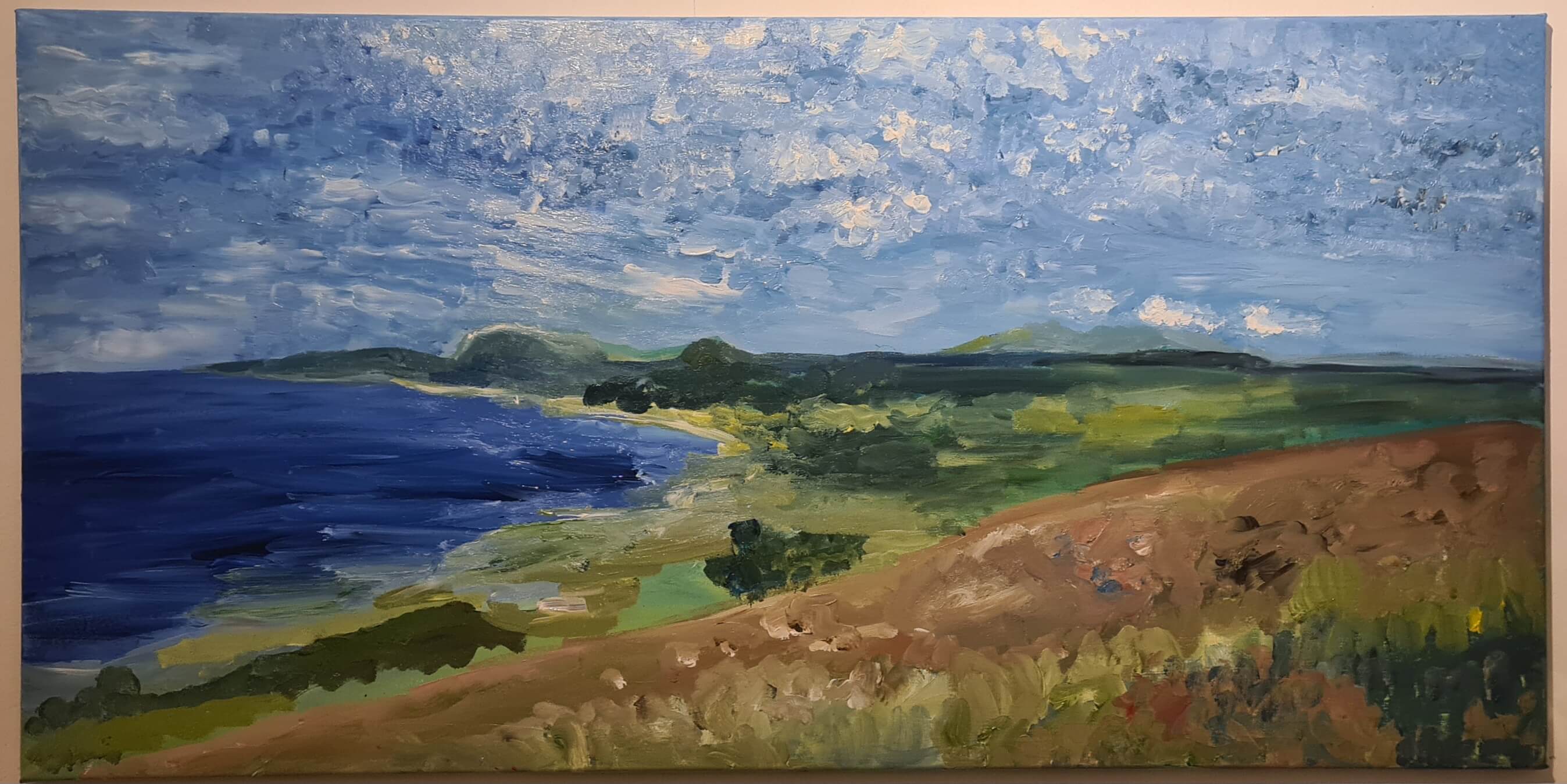
Building on the foundation: refining shapes and composition
Phase 3: The Digital QA (Sprint Retros)
Even though I was analog, I used a digital cheat code for my Quality Assurance.
When I became "code blind" (staring at the canvas too long to see errors), I took a photo of my painting and digitally overlaid it with the source image. It instantly highlighted where my perspective was off.
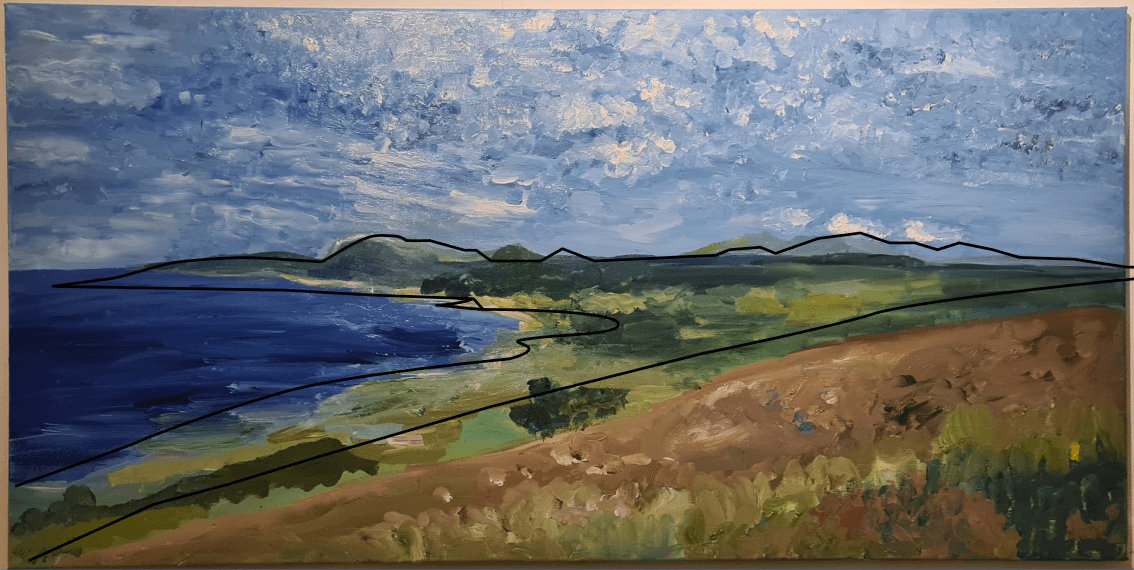
Digital QA: overlaying wireframe lines to check composition and perspective
This was my Sprint Retrospective. I paused, measured the current build against the desired outcome, found the bugs, and fixed them before the next session.
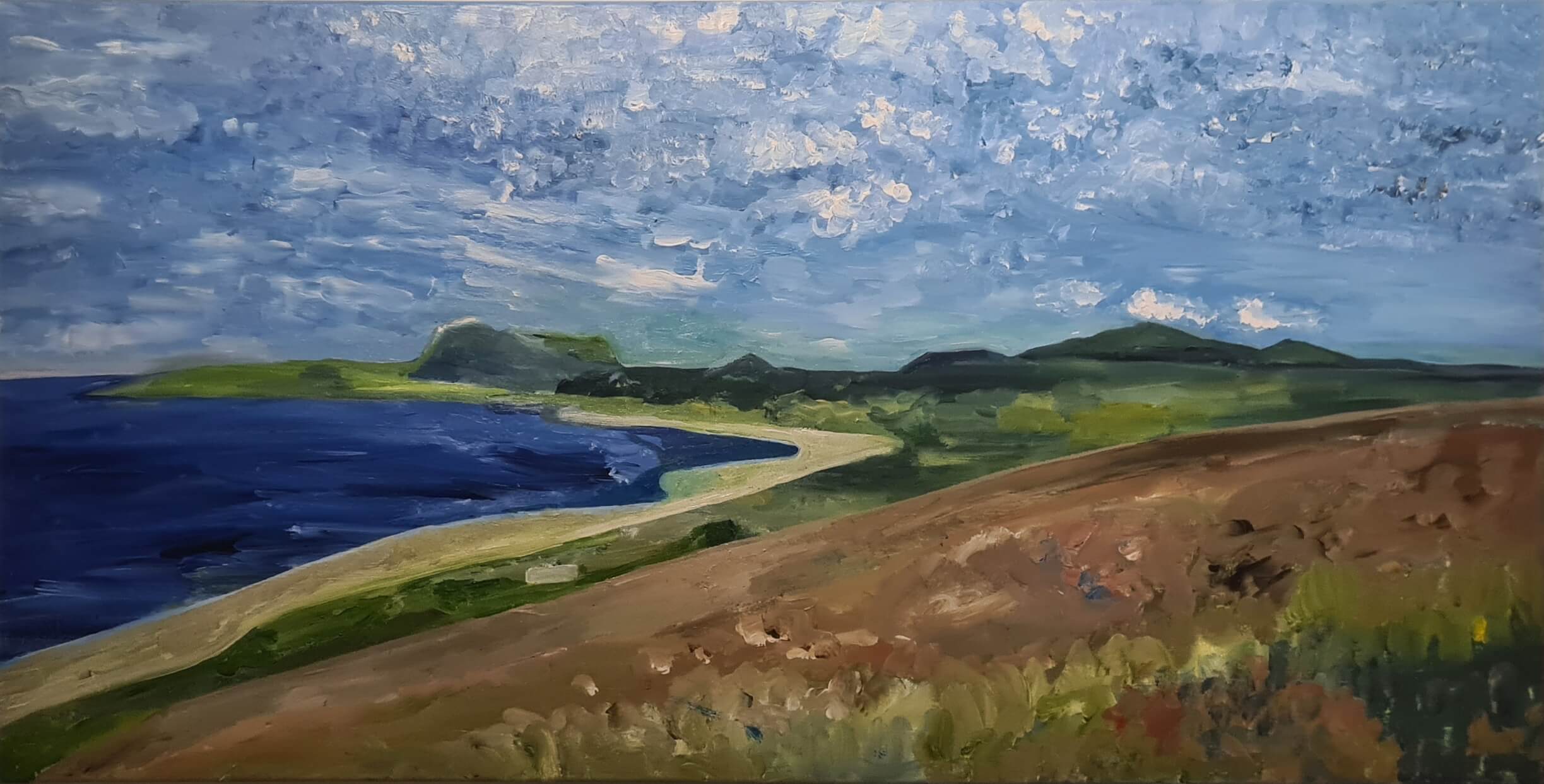
After QA feedback: applying improvements and refining details
The Takeaway
Stepping away from the keyboard was a massive creative recharge. But more importantly, it proved that Agile isn't just a Jira workflow—it's a way of creating.
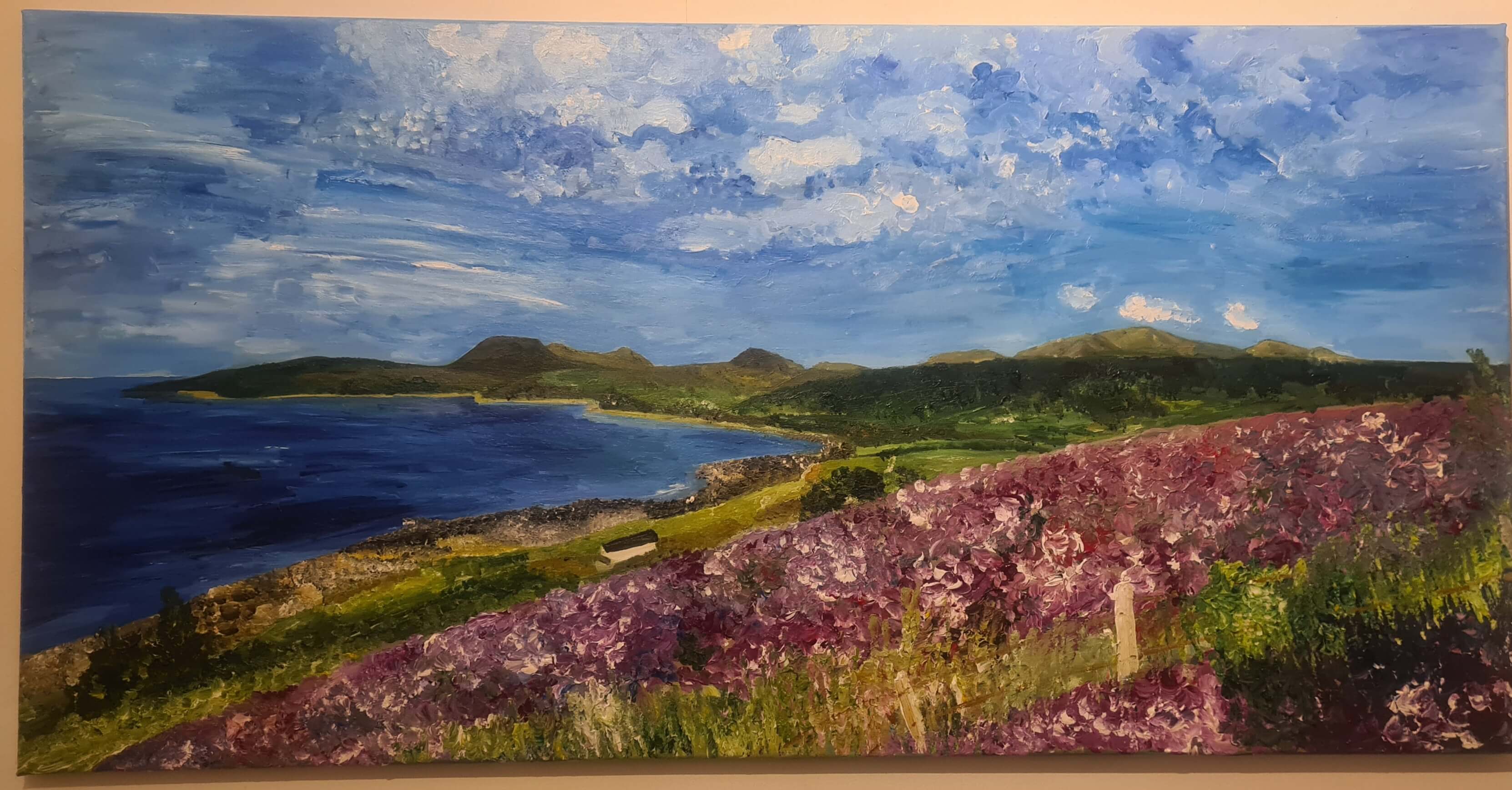
Final result: a completed painting built through iterative, Agile-inspired process
Whether you're pushing code or pushing paint: start with the big picture, iterate fast, and don't be afraid to scrape it off and start again.